Notice board
A digital notice board for your masjid, with urgent messages
Why it matters
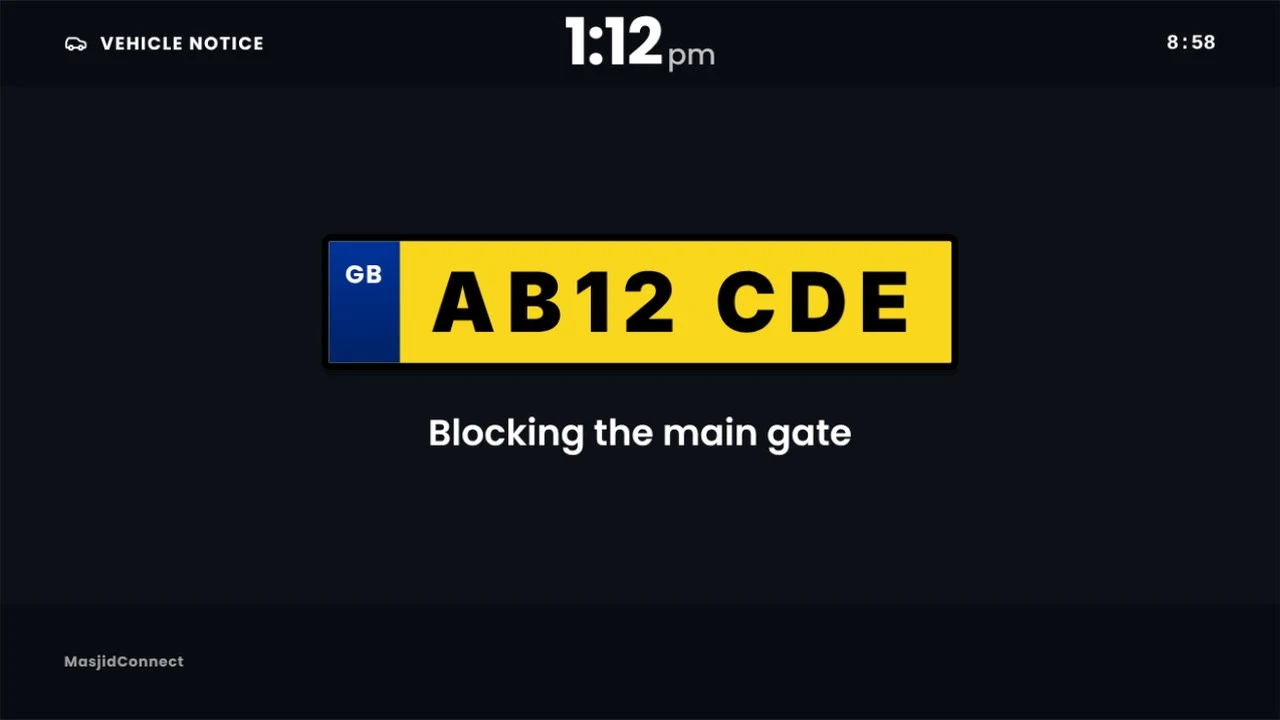
Stopping the bayan to read out a number plate
It happens in many masjids: someone hands the imam a note about a blocked car, and the talk stops while it's read out. Janazah news and last-minute time changes go the same way, or they never reach the sisters' hall.
A message on the screens reaches every room at once, and nobody has to stop speaking.
How urgent messages work
Pick what kind of message it is: safety, janazah, move a car, building, or a time change. Write a few words, add a photo of the car if it helps, choose which screens, and press send.
The message fills every screen you picked. You decide how long it stays, from 5 minutes to 2 hours, or until the next jamaat. Then the screens go back to prayer times on their own.
Most messages can also go to the phones of people who follow your masjid in the Community app. Car notices stay on the screens. Messages you send often can be saved and sent again.
Urgent messages come with the Masjid licence, and only admins can send them. Everyday notices, like class times and posters, run as slides on every plan.
Everyday notices, and urgent ones
Ordinary notices run as slides between prayers, like this one. Urgent messages take over the whole screen until they clear.

- 01
Every room at once
Main hall, sisters' area and entrance, or just the screens you choose.
- 02
Sent from your phone
From the portal on any phone, in a few taps.
- 03
Clears itself
It stays for the time you set, then the screens go back to normal.
- 04
Saved for next time
Keep the messages you send often and send them again.
From a masjid that uses it
Having tried several masjid display platforms over the years, MasjidConnect stands out for its flexibility, customisation, ease of use and excellent support.
“What I value most is the team’s willingness to listen to feedback and continually improve the platform. They genuinely take suggestions on board and are committed to developing a solution that better serves the masjids and communities they support.”
Notice board questions
What is a digital notice board for a masjid?
It is a TV screen in the masjid that shows notices, posters and events in place of paper. With MasjidConnect the same screens show your prayer times, and you change the notices from your phone.
Can we announce a janazah on the screens?
Yes. Send a janazah message from your phone and it goes full screen on every TV you choose. It can also go to the phones of people who follow your masjid in the Community app.
How do we tell someone their car is blocking the gate?
Send a move-a-car message with the car's details, and a photo if you have one. It shows on the screens, so the driver sees it without anyone stopping the talk. Car messages don't go to phones.
How long does an urgent message stay up?
You choose: from 5 minutes to 2 hours, or until the next jamaat. Then the screens go back to prayer times on their own.
Which plan has urgent messages?
The Masjid licence, which is £499 once, and the Network licence. Ordinary notices and posters run as slides on every plan, including Free.
Stop reading notes out during the bayan
Start free. For the first 30 days you get everything in the Masjid licence. No card needed.
No monthly fees, ever