
Lye Ghausia Jamia Masjid
Screens in the prayer hall
Each screen shows today's start and jamaat times, a countdown to the next jamaat and your own slides. It works in portrait or landscape, on a TV you already have.
Prayer time screens
Lye Ghausia Jamia Masjid, Stourbridge
Your first 30 days include everything in the Masjid licence. No card needed.
Free for one screen£25 a month or £499 once for up to 10WhatsApp us
Set your timetable once and the times change on their own all year. Put notices on every screen from your phone. Pay monthly with no contract, or pay once.
 Oxford Mosque Society
 Lye Ghausia Jamia Masjid
 YCA Cultural Centre Masjid
 Millat e IslamiaBradford
MasjidConnect runs the prayer time screens in your masjid, takes donations online and puts your times and notices on people's phones. You look after all three from one website, the portal.
Lye Ghausia Jamia Masjid
Each screen shows today's start and jamaat times, a countdown to the next jamaat and your own slides. It works in portrait or landscape, on a TV you already have.
Prayer time screens
Put an appeal on the screen with its own QR code. People scan it and give by card, Apple Pay or Google Pay, and can add Gift Aid as they go.
Online giving
A free app for your congregation with your prayer times, events and urgent notices. People can give from it too. A listing for your masjid comes with every paid licence.
The Community appMove a jamaat time, put up an urgent notice or add a class from home. Every screen in the masjid changes within seconds, and so does the prayer times box on your website. These are real screenshots.

Isha jamaat moves to 8pm on Thursday. Change the time and press save.

Every screen shows 8:00pm. Nobody has to go to the masjid to change it.
Make a set of slides for each time of the week or year: Jumu'ah notices on Fridays, weekend classes on Saturday mornings, Ramadan slides for the whole month. Each screen switches at the right time on its own, so nobody has to remember.
Main hall screen

Tuesday, 11:20am: showing Everyday notices
Every kind of schedule, including ones linked to prayer times, comes with the Masjid licence.
Pick a layout and your colours, or put a photo of your own masjid behind the times. Every picture here is a capture of the real screen.

Slides on top, times along the bottom, navy
Free gives you one layout in your own colours. Background photos and your logo come with the Masjid licence.


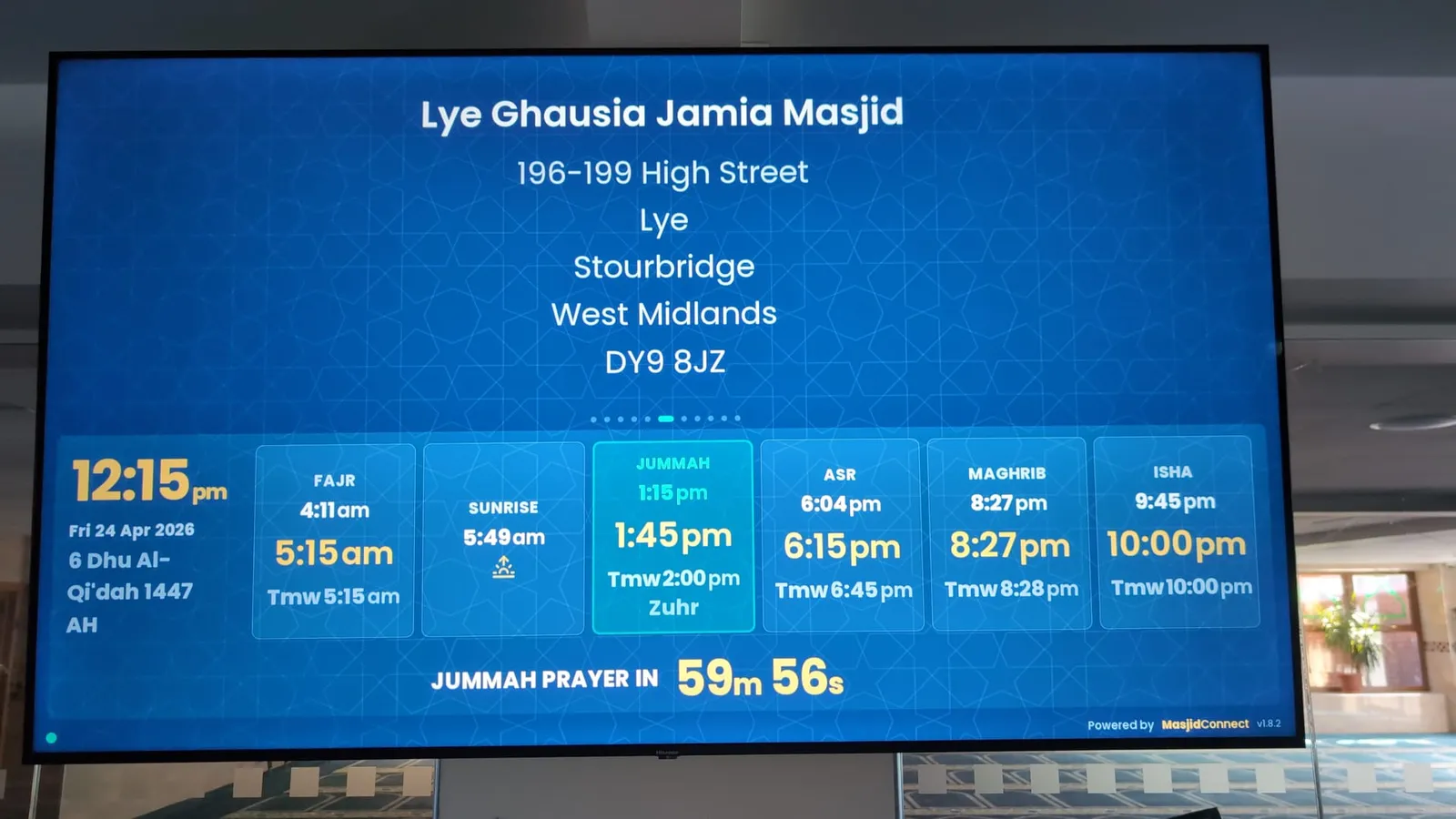
From a masjid that uses it
Read how Lye Ghausia uses its screensThe product can adapt to the needs of the masjid rather than the masjid having to adapt to the software.
“In my experience, MasjidConnect represents very good value for money, particularly when you take into account the functionality, flexibility and excellent customer support.”
“Having tried several masjid display platforms over the years, MasjidConnect stands out for its flexibility, customisation, ease of use and excellent support.”
The display runs in a web browser, so a computer plugged into the TV or a smart TV's own browser will do. Install MasjidConnect TV from the Google Play Store on a Google TV or Android TV, or from the Amazon Appstore on a Fire TV Stick. Then scan the code on the screen to connect it. You don't need to buy a box from us.
A computer or laptop plugged into the TV. Open the link and make it full screen.
MasjidConnect TV is in the Google Play Store on Google TV and Android TV, and in the Amazon Appstore on Fire TV. Put up your first screen shows each step.
If the TV has a web browser, it can run the display.
Plug and play, and the only option that keeps working offline.

The Display Unit is a small box we set up before it reaches you. Plug it into the TV with an HDMI cable, scan the code and it's ready. It keeps showing the right prayer times when the internet goes down, which a browser or TV stick can't do.
£189 for the unit. Bring your own TV, or ask us to fit everything.
Every new masjid gets the Masjid licence free for 30 days. After that you can keep one screen free for good, or have up to 10 screens for £25 a month with no contract, or £499 paid once. We can also come and fit the screens for you.
Set it up yourself
Prayer times and one screen for a small masjid.
Free forever, with our step-by-step guides
Everything your masjid needs
Up to 10 screens and everything in the portal, with help from us on WhatsApp.
Care included, no contract. Or £499 paid once.
We come and set it all up
The Masjid licence, monthly or paid once, plus fitting. Every building is different, so we quote the fitting for your masjid before you book. Fitting is paid once.
Licence, TVs, Display Unit and fitting, quoted for your building
Straight answers on screens, prices, giving and what happens when the internet drops.
MasjidConnect is a UK system for running a masjid's prayer time screens, online giving and Community app from one website, the portal. You enter your timetable once and it shows on every screen, on your own website and in the app. It started in 2019 as a prayer times page for a masjid in Oxford.
Sign up for free, add your timetable (upload a spreadsheet or let us work the times out for your town), then pair the TV by scanning the code it shows. Use our Display Unit, MasjidConnect TV on a Fire TV Stick, or a web browser on a smart TV or computer. The guide Put up your first screen goes through each step.
The software is free for one screen. The Masjid licence covers up to 10 screens for £25 a month with no contract, or £499 paid once. If you want a box behind the TV, our Display Unit is £189. If you want us to supply the TVs and fit everything, we quote for your building first.
Only if you choose one. The Masjid licence is £25 a month with Care (help sessions and WhatsApp support) included, and you can stop at any time. Or pay £499 once and keep it, with the first year of Care free. The Free plan has no fee. Online donations carry a small fee: 2.5% on Free and 1% on a paid licence, plus the card company's fee.
Yes. Any TV with an HDMI socket works, in portrait or landscape. Put our Display Unit or a computer behind it, install MasjidConnect TV on a Fire TV Stick, or use the TV's own web browser. You can move the display to a different TV whenever you like.
With our Display Unit, yes. It keeps your prayer times and slides on the box, so the screen carries on showing the right jamaat times and catches up when the connection comes back. A browser or TV stick needs the internet to stay up.
Yes. Change a time in the portal on your phone or computer and press save. Every screen in the masjid shows the new time within a few seconds, and so does the prayer times box on your website.
Yes, on the Masjid licence. Send an urgent message from your phone with the car's number plate, and it covers every screen in the hall at once, then comes off on its own. It's also used for janazah notices.
Yes. Put an appeal on the screen with its own QR code. People scan it and give by card, Apple Pay or Google Pay, and they can tick a box to add Gift Aid. The portal keeps the Gift Aid declarations and fills in HMRC's claim spreadsheet for you. Your masjid needs to be registered with HMRC as a charity to claim.
Yes. The MasjidConnect Community app is free for your congregation and shows your prayer times, events and urgent notices, and people can give from it. Every paid licence includes a listing for your masjid in the app.
You move to the Free plan, unless you've bought a licence. Nothing you made is deleted and no screen goes blank. One screen keeps your slides, and any other screens keep showing prayer times.
Sign up, add your timetable and connect a TV. For the first 30 days you get everything in the Masjid licence. After that one screen stays free. When the committee is ready, the licence is £25 a month, or £499 paid once.
No contract. Stop any time.


